
Cursor Assistant Usage Guide 2026
CursorFree Assistant APP guide — install assistant on Win/Mac/Linux, activate license, fix Connection Error, Authentication error, restart Cursor
Cursor Assistant Usage Guide
🔥 More usage than official — equivalent value to the official $200 package
About the product used in this article
The installation, configuration, and usage steps in this article are based on the [Cursor] product provided by ngaicode.
We offer [Cursor] plans starting from $1.50 / 1 days ngaicode Cursor page. After purchasing any plan, you’ll receive a KEY with a detailed tutorial. If you encounter any issues during installation, setup, or use, our support team is always available to help.
To subscribe to [Cursor], view plans and pricing at the Cursor product page or contact customer support to place an order.
Contact us: WhatsApp Contact us — PayPal & USDT TRC20 payments accepted.
1: “CursorFree” Usage Guide
Cursor version — Click to go to the official download site · Backup download link
For first-time use, we recommend reinstalling Cursor — this avoids 99% of issues.
Supports Win, Mac, and Linux with no security impact on your account or device.
2: Download “CursorFree”
Please download the version that matches your system and install it to the default location.
Available file list:
- Windows —
CursorFree_0.2.7orCursorFree_0.2.7_x64-setup - Linux Ubuntu —
cursor-byok-0.2.7-linux-amd64 - Mac Intel —
cursor-byok-0.2.7-macos-amd64 - Mac Apple Silicon —
cursor-byok-0.2.7-macos-arm64
💡 For download links, please contact WhatsApp Contact us
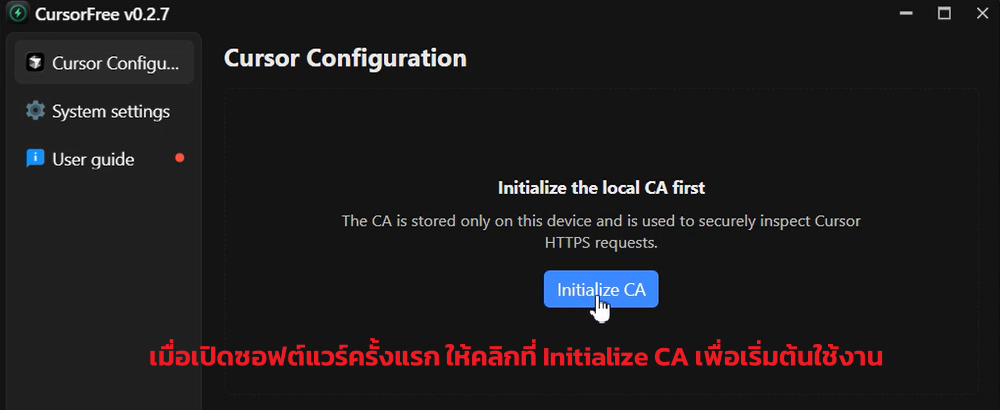
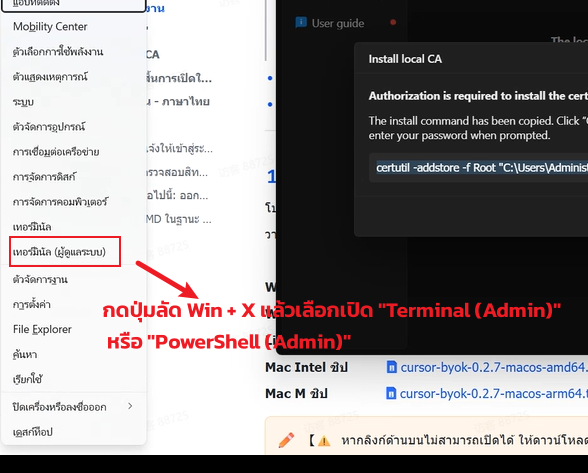
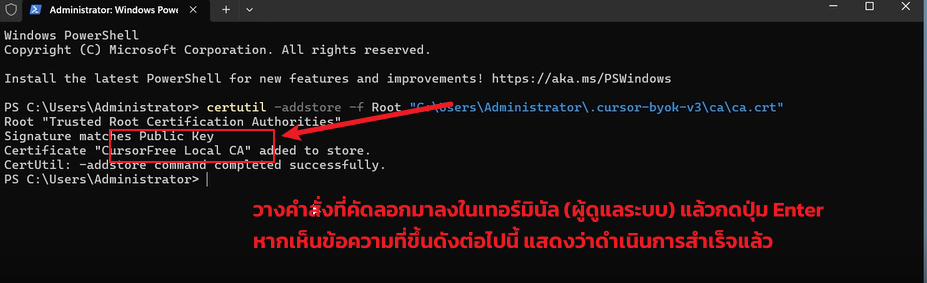
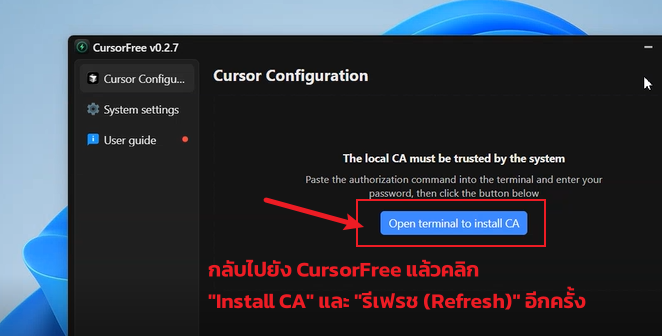
3: Initialize CA
Once downloaded and installed, you can open the assistant app. Before first use, please complete the initial configuration.
4: Terminal Command Errors
If you encounter initialization issues, see How to Fix Initialization Error
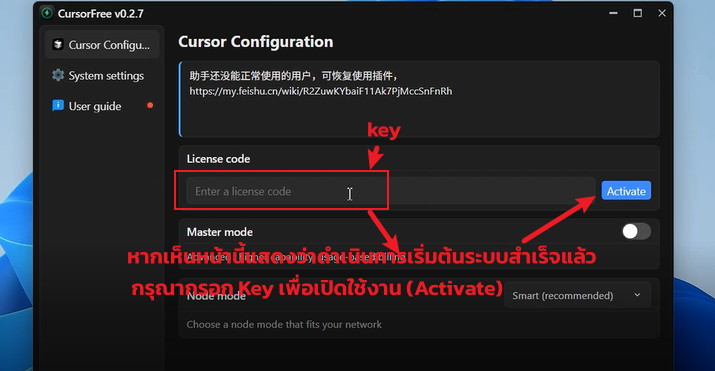
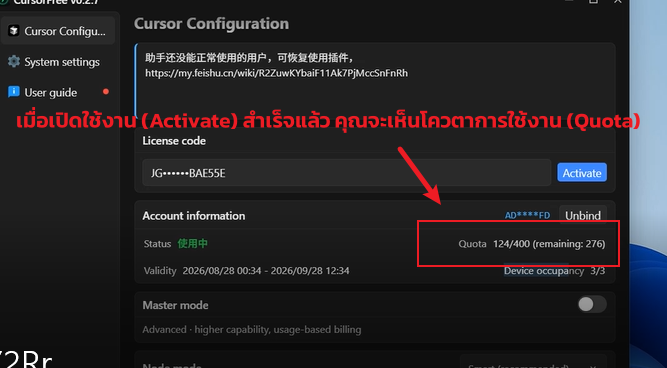
5: Enter License to Complete Activation
⚠️ Some users need to fully close both Cursor Assistant and Cursor first, then open Cursor Assistant, then open Cursor — only then does it work normally.
⚠️ Note: While using Cursor, please keep the Assistant running in the background. Do not quit the Assistant.
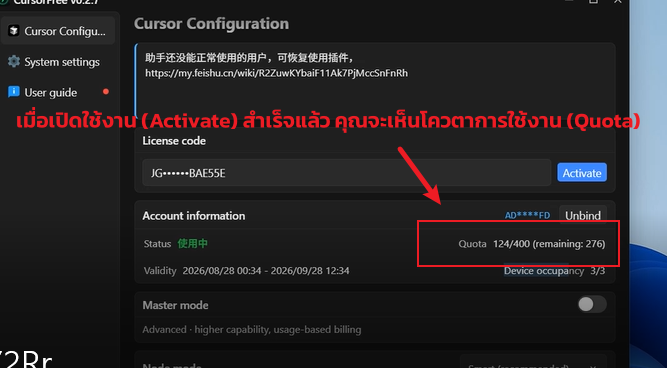
Master mode is optional — enable it for more advanced capabilities.
Node mode — default is recommended smart mode. If your network is slow or responses lag, try the fallback mode.
6: FQA — Frequently Asked Questions
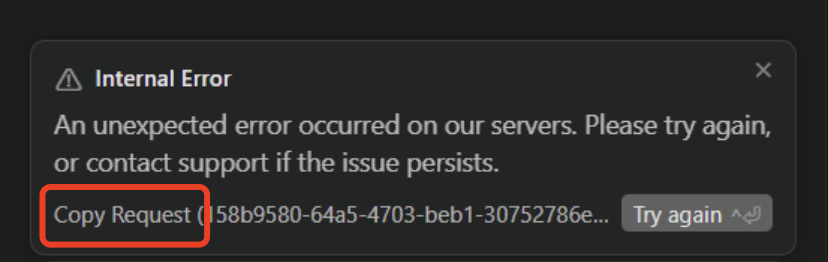
When you see a Connection Error or Internal Error, click Copy Request to capture the full error info first, then follow the steps below to check and fix, or send the info to customer support to identify the cause.

The system prompts you to log in / sign up when you open Cursor
A: Fully quit Cursor first, then restart the Assistant app, then reopen Cursor — it will auto sign in.
Authentication error or login prompt
A: Follow these steps: quit Cursor → close the Assistant app → reopen the Assistant → reopen Cursor.


Restart both Assistant and Cursor
A: Restart both the Assistant and Cursor: first close Cursor, then restart the Assistant, then open Cursor (the Assistant must stay running in the background).
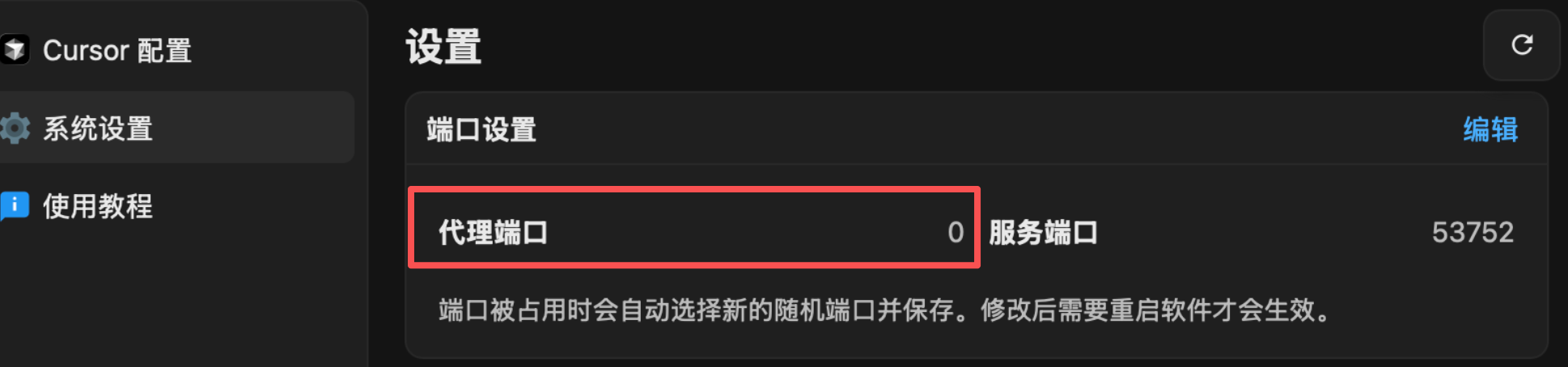
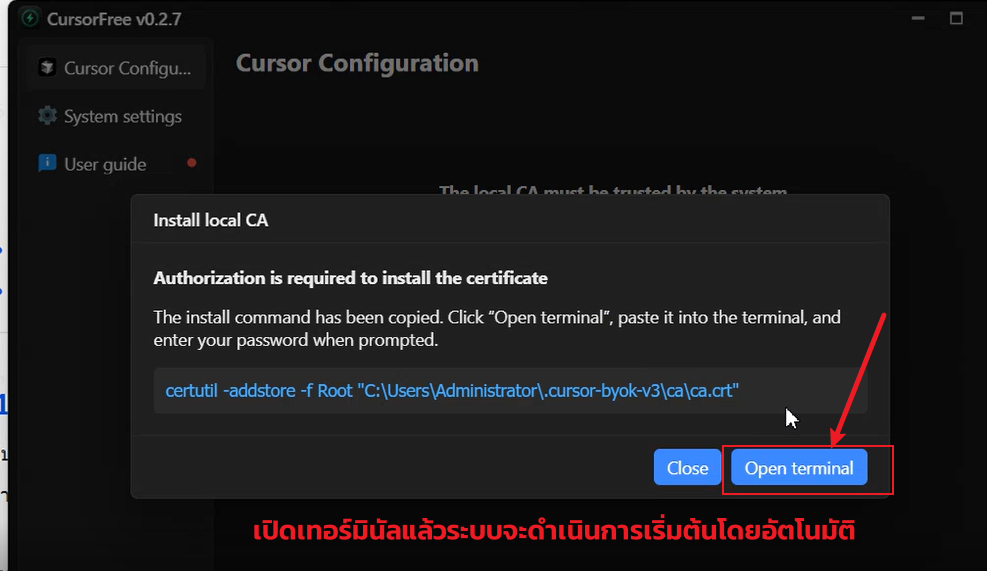
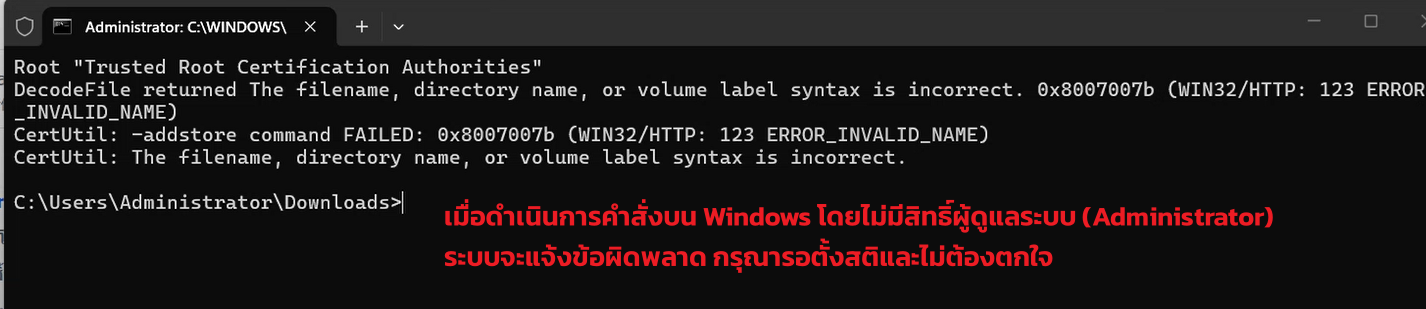
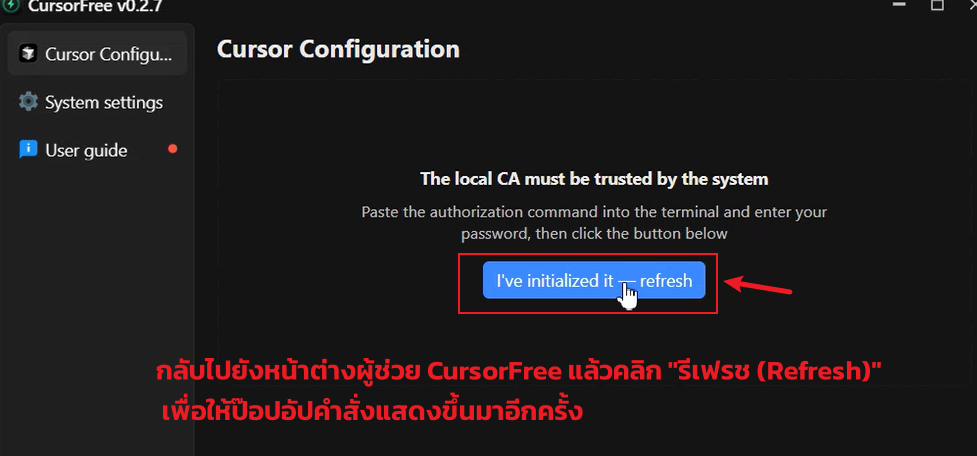
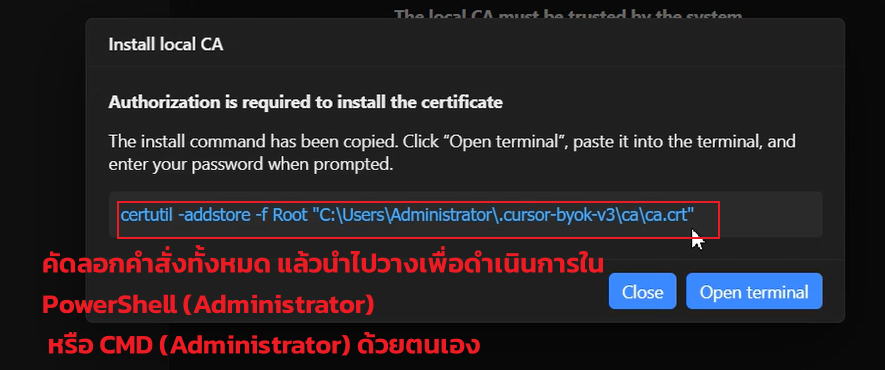
7: Q: Initialization Error
Related Resources
- ngaicode Cursor page — see pricing / order
- ngaicode Home — hub for AI Coding Tools
- ngaicode Claude Code page
- ngaicode Codex page
- WhatsApp Contact us
Ready to Get Cursor?
3 simple steps: Pick a Cursor Pro plan → Scan PayPal / USDT → Receive your Key instantly
- Order Cursor Pro from ngaicode: ngaicode Cursor page — starts at $1.50 / 1 month
- Questions / orders: WhatsApp Contact us — real human reply within 5 minutes
- See all 3 AI coding tools: ngaicode Home — Cursor / Codex / Claude Pro