
Claude Code App Guide 2026 — Install, Configure CCswitch & Use
Hands-on guide to Claude Code App — download from claude.com, configure CCswitch for your API key, switch models, send prompts, and troubleshoot common errors.
About the product used in this article
The installation, configuration, and usage steps in this article are based on the [Claude Code] product provided by ngaicode.
We offer [Claude Code] plans starting from $1.50. After purchasing any plan, you’ll receive an API KEY with a detailed tutorial. If you encounter any issues during installation, setup, or use, our support team is always available to help.
To subscribe to [Claude Code], view plans and pricing at the Claude Code product page or contact customer support to place an order.
Contact us: WhatsApp Contact us — PayPal & USDT TRC20 payments accepted. Replies within 5 minutes during business hours (9:00–24:00 UTC+7).
1: Download Claude from the official site and install the app
2: We recommend using Claude Code app together with CCswitch
- CC Switch is an open-source desktop app that centralizes the management and switching of API configs, AI models, and add-on modules (MCP / Skills) across AI coding tools (like Claude Code, Gemini CLI, Codex) in one place.
3: Using CCswitch
3.1 Download CCswitch
3.2 Open CCswitch and pick the Claude desktop app
3.3 Click the + icon to create a new configuration

3.4 Fill in the configuration
https://ccpro.cn
https://api.ccpro.cn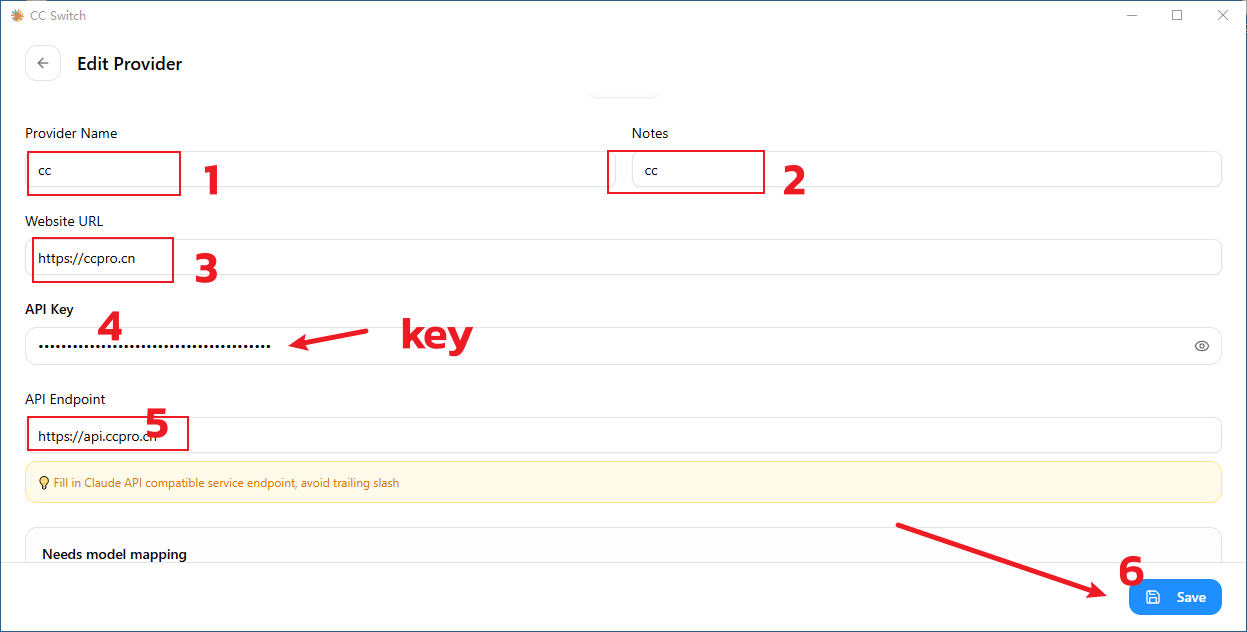
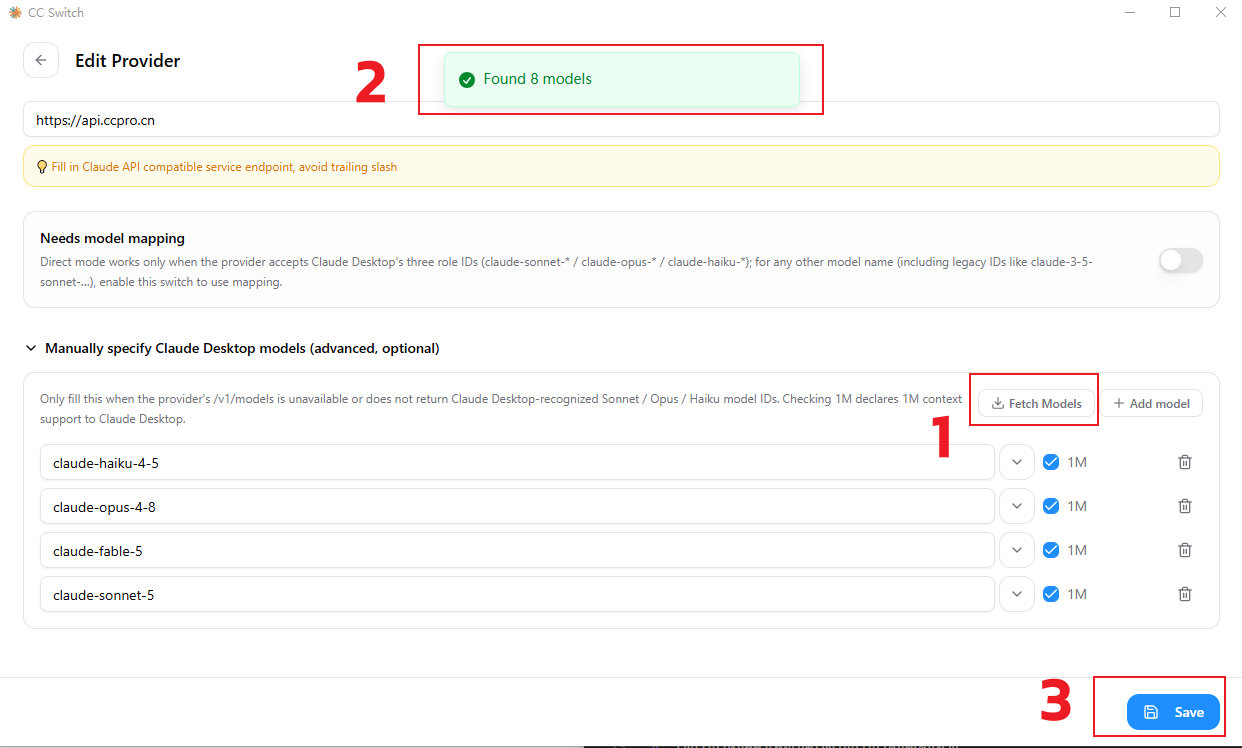
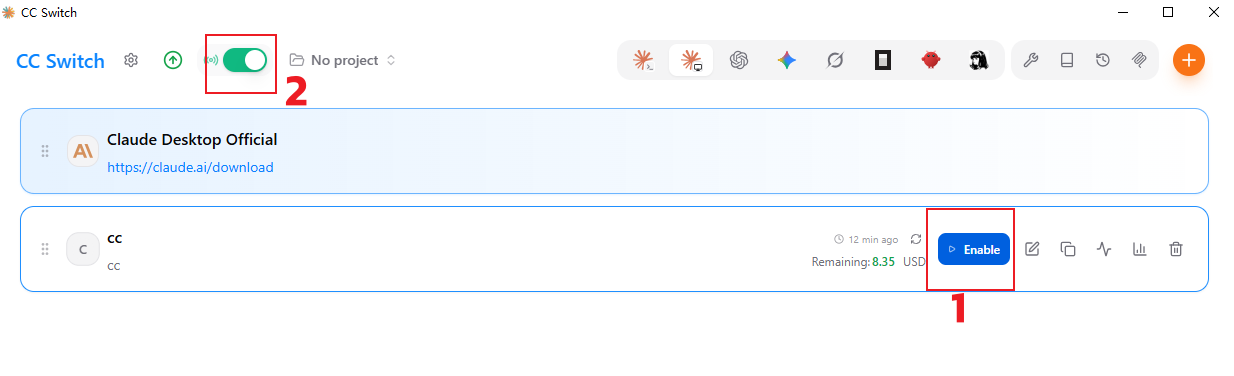
3.5 Use the configuration to enable routing
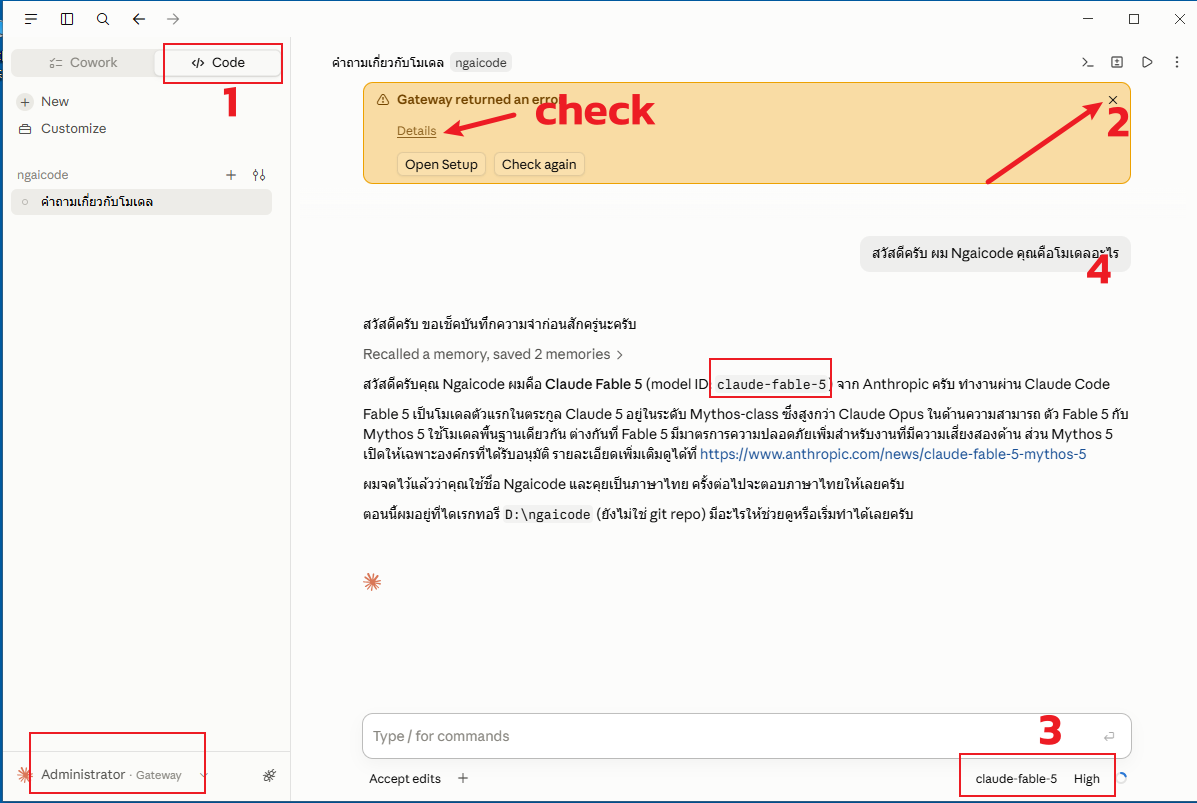
3.6 Restart the Claude Code desktop app
Once you see the signed-in account has switched to the official account, click Code mode.
Error banners can usually be ignored — most of them come from a low-tier model having no quota. Just close them.
Switch models.
Send your prompt.
4: Troubleshooting
Q: Official Documentation
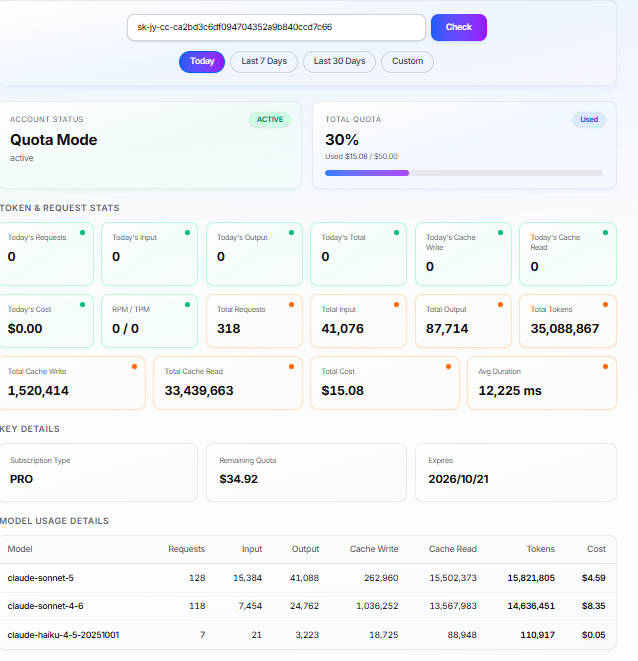
Q: Check KEY Usage / Quota
Click the link below and enter your KEY to check quota usage. Quota usage matches the official version 1:1.
https://ngaicode.com/en/key-usage/
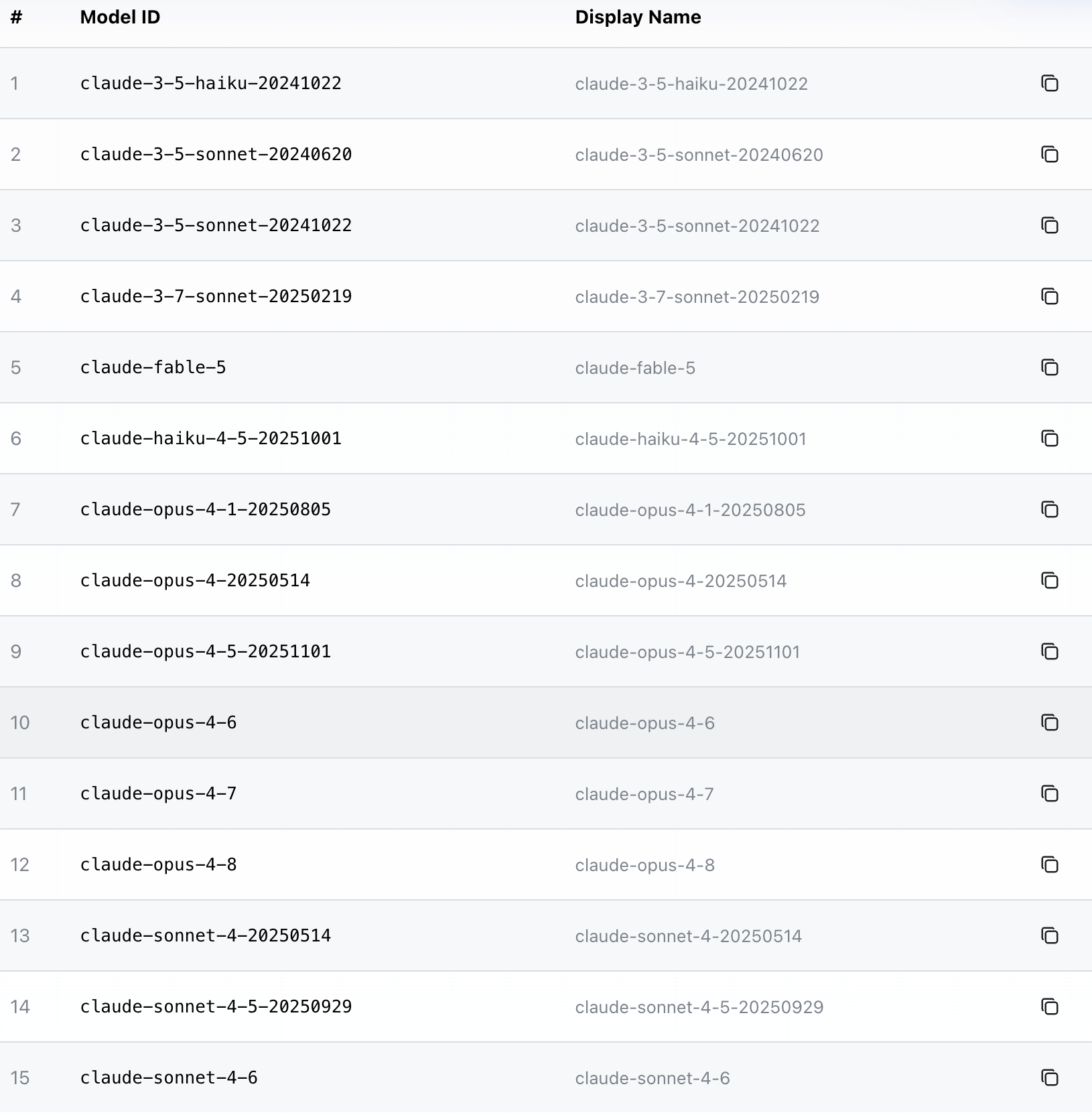
Q: List of Available Models
View available models for Claude
When you start a conversation, the key is activated automatically. After that, you’ll be able to view the list of models. For example:
Related Resources
- ngaicode Claude Code page — see pricing / order
- ngaicode Home — hub for AI Coding Tools
- ngaicode Cursor page
- ngaicode Codex page
- WhatsApp Contact us
Ready to Get Claude Code App?
3 simple steps: Pick a Claude Code plan → Scan PromptPay / PayPal → Receive your API key instantly
- Order Claude Code from ngaicode: ngaicode Claude Code page — plans start at $1.50 / month
- Questions / orders: WhatsApp Contact us — real human reply within 5 minutes
- See all 3 AI coding tools: ngaicode Home — Cursor / Codex / Claude Pro