
Codex Usage Guide 2026 — Install, Configure API Key & Skills
Hands-on Codex tutorial — no signup needed, just paste your key. Supports GPT-6, install Codex CLI via npm, import CC-Switch with one click, and use the image-generator skill.
About the product used in this article
The installation, configuration, and usage steps in this article are based on the [Codex] product provided by ngaicode.
We offer [Codex] plans starting from $1.50. After purchasing any plan, you’ll receive an API KEY with a detailed tutorial. If you encounter any issues during installation, setup, or use, our support team is always available to help.
To subscribe to [Codex], view plans and pricing at the Codex product page or contact customer support to place an order.
Contact us: WhatsApp Contact us — PayPal & USDT TRC20 payments accepted. Replies within 5 minutes during business hours (9:00–24:00 UTC+7).
1: Install, Configure, and Use Codex
1.1 Install Codex
If you’ve already installed Codex App or Codex CLI, you can skip this step and go to 1.2 Configure Key.
Install Codex CLI
If you haven’t installed Codex CLI yet, you’ll need to install Node.js first. Then open Terminal / PowerShell / CMD and run:
- Install globally
npm install -g @openai/codex- Verify the install — if it prints a version number, the install succeeded
codex --versionNote: If you’re already using Codex App, you don’t need to install Codex CLI — skip ahead to the configuration step.
1.2 Configure Key
After installing Codex CLI or opening Codex App, configure your API Key according to your system:
# macOS / Linux
curl -fsSL https://ccpro.cn/install/codex/codex-config-api.sh | bash
# Windows PowerShell
irm https://ccpro.cn/install/codex/codex-config-api.ps1 | iex# Windows CMD
curl -fsSL http://ccpro.cn/install/codex/codex-config-api.bat -o "%TEMP%\codex-config.bat" && "%TEMP%\codex-config.bat"If you’d rather configure manually, set base_url to: https://api.ccpro.com/v1
1.3 Usage
Once configuration is done, restart the app, or just run codex directly in your terminal — you’re ready to go.
2: Troubleshooting
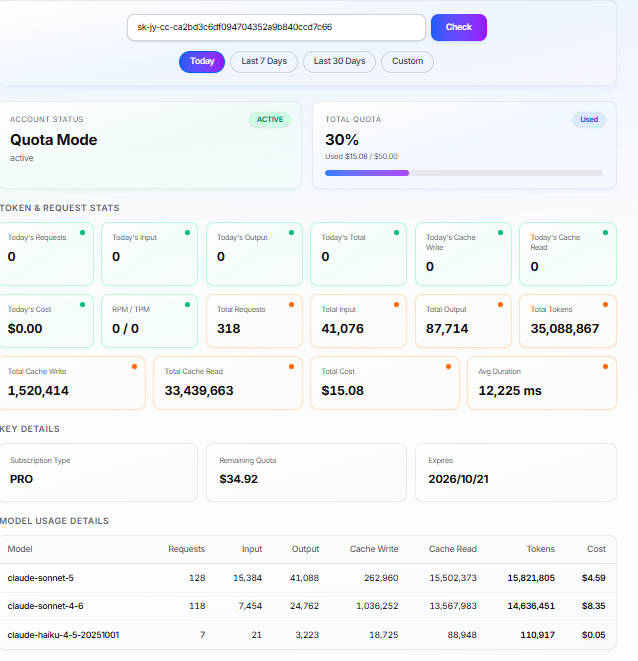
Q: How Do I Check Key Usage?
Click the link below and enter your Key to check quota usage. Quota usage matches the official version 1:1.
https://ngaicode.com/en/key-usage/
Q: Generate Images
https://ccpro.com/files/codex-skills/ccpro-image-generator.zip
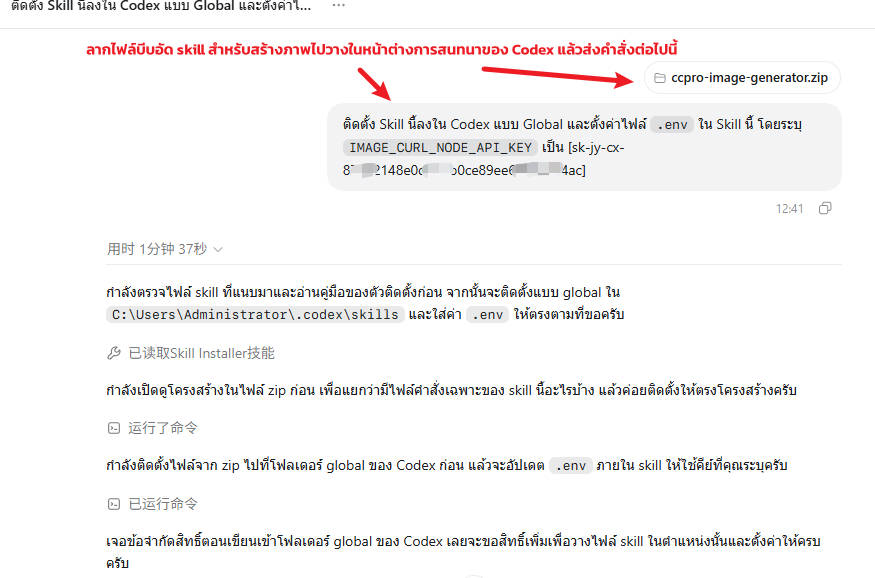
Download the skill archive and drag it into Codex’s chat box. Then send the message below to your Codex client (replace the key with your own, as shown in the screenshot):
Install this skill to the global Codex location and set IMAGE_CURL_NODE_API_KEY in the skill’s .env to [paste your secret key here]
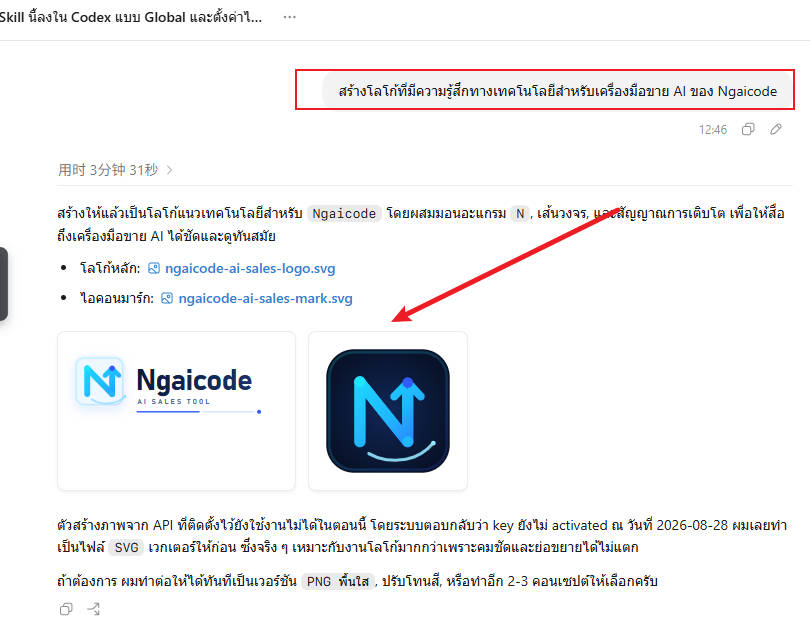
To generate an image, just run /CCpro-Image-generator in your Codex client and enter your prompt. Done.
Related Resources
- ngaicode Codex page — see pricing / order
- ngaicode Home — hub for AI Coding Tools
- ngaicode Cursor page
- ngaicode Claude Code page
- WhatsApp Contact us
Ready to Get Codex?
3 simple steps: Pick a Codex plan → Scan PromptPay / PayPal → Receive your API key instantly
- Order Codex from ngaicode: ngaicode Codex page — plans start at $1.50 / month
- Questions / orders: WhatsApp Contact us — real human reply within 5 minutes
- See all 3 AI coding tools: ngaicode Home — Cursor / Codex / Claude Pro